



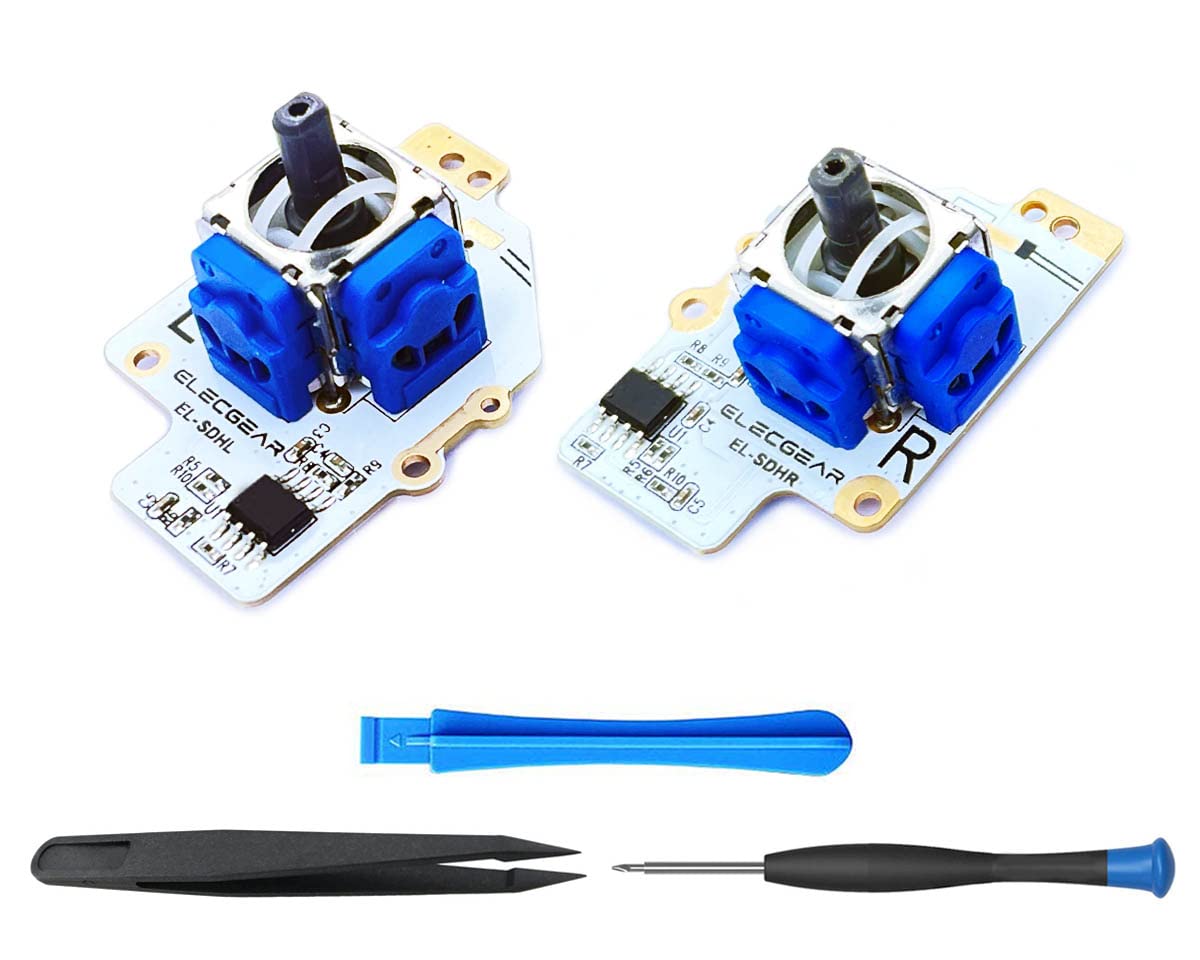


ElecGear Hall Sensor Joystick Replacement for Steam Deck, Electromagnetic No-Drifting Left and Right Thumbstick Unit Module PCB Assembly for MEDA and MHDA Controllers, Repair Tool Kit Included

 4.9 (17 items)
 Limited Time Sale
$54.00 cheaper than the new price!!
Free cash-on-delivery fees for purchases over $99
Product details
| Management number | 208541167 | Release Date | 2026/03/22 | List Price | $36.00 | Model Number | 208541167 | ||
|---|---|---|---|---|---|---|---|---|---|
| Category | |||||||||
(Revised Version) TMR edition of joystick replacement module for Steam Deck LCD [Reminder of DIY] 1. Safely power off your console 2. Teardown your Steam Deck and take out the problem LR units 3. Desolder the wire of sensitive cap off the PCB 4. Solder the cap’s wire on new sticks 5. Install the new stick and connect the flex cable 6. Calibrate the new module in desktop mode by command Thumbstick_Cal in Konsole (🔺Moderate soldering tools and skill needed for the replacing operation.) [What’s in Box] 1. Replacement TMR Joystick Modules 2. PH0 Screwdriver 3. Tweezers 4. Plastic Opening Tools (🔺Soldering tools and materials are NOT included)
- [TMR Joystick for Steam Deck LCD] – Previous L3/R3 clicking range changing issue was resolved in this new version. It was updated from Hall to new TMR joystick. It’s a direct replacement for Steam Deck LCD. Works with both MEDA and MHDA controller ID. The module can be calibrated with command Thumbstick_Cal in Konsole
- [A Better Stick for SD] – 1. Newest TMR inside. 2. Works with both MEDA and MHDA controllers. 3. Hall sensor to eliminate the possible drifting in hardware level. 4. Pure analogical trim circuit with no latency. 5. ESD diode added to protect the unit from static electricity
- [Reminder of DIY] – 1. Safely power off your console. 2. Teardown your Steam Deck and take out the problem LR units. 3. Desolder the wire of sensitive cap off the PCB. 4. Solder the cap’s wire. 5. Install the new stick and connect the flex cable. 6. Calibrate the new module in desktop mode by command Thumbstick_Cal in Konsole. (🔺Moderate soldering tools and skill needed for the replacing operation.)
- [What’s in Box] – 1. Replacement Joystick Modules. 2. PH0 Screwdriver. 3. Tweezers. 4. Plastic Opening Tools. (🔺Soldering tools and materials are NOT included).
| Item Weight | 1.76 ounces |
|---|---|
| Manufacturer | ElecGear |
| Type of item | Personal Computers |
| Item model number | EL-SDHL/R |
| Package Dimensions | 4.61 x 2.83 x 1.06 inches; 1.76 ounces |
Sweatpants


Joysticks



Correction of product information
If you notice any omissions or errors in the product information on this page, please use the correction request form below.
Correction Request Form